
On this page
- What an audit log actually is
- Reason 1: Security and incident response
- Reason 2: Compliance and regulatory obligations
- Reason 3: Accountability and customer trust
- Reason 4: Debugging state, not just code
- Best practice: log the right events at the right granularity
- Best practice: make the log immutable and tamper-evident
- Best practice: get identity, time, and context right
- Best practice: write audit events reliably and asynchronously
- Best practice: retention, access, and privacy
- From application logs to provable records
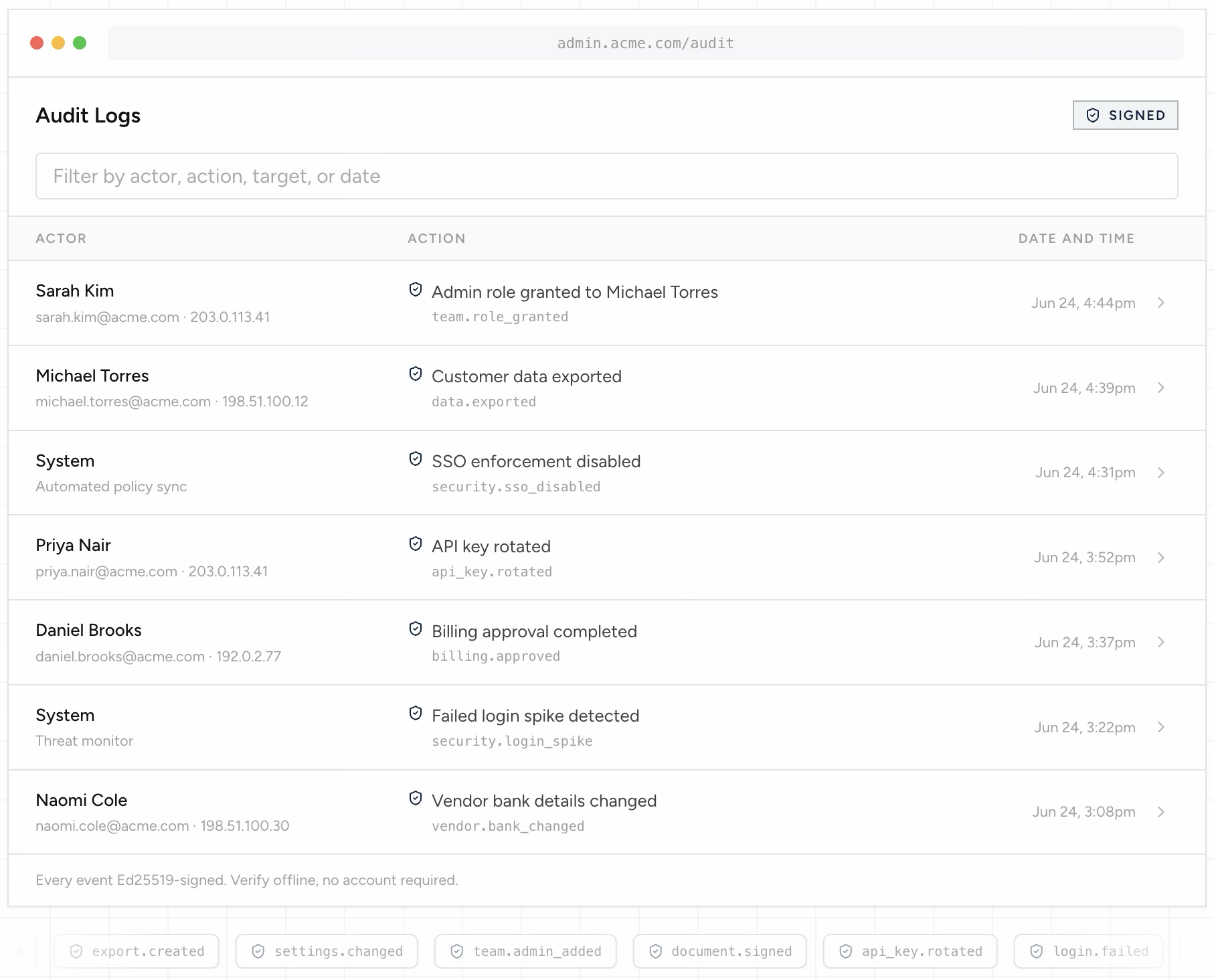
What an audit log actually is
An audit log is a chronological, append-only record of the significant actions taken in a system: who performed an action, what they did, which resource it affected, and when it happened. It is distinct from the operational logs your application already writes.
Operational logs, the ones your web server, database, and application framework emit, exist to help you debug and monitor. They are verbose, ephemeral, and shaped around code paths. An audit log is the opposite: it is deliberately sparse, long-lived, and shaped around business and security events that someone might later need to account for.
The practical test for whether something belongs in an audit log is simple. Ask: "If a customer, an auditor, or a lawyer asked me six months from now whether this happened, would I need a definitive answer?" If yes, it is an audit event. A failed database connection is an operational log. A user changing another user's permissions is an audit event.
Reason 1: Security and incident response
When an account is compromised or data is exfiltrated, the first question is always the same: what did the attacker touch? Without an audit trail, incident response becomes archaeology, reconstructing events from fragmentary application logs that were never designed to answer that question.
A good audit log turns a multi-day forensic investigation into a query. You can see exactly which records an account accessed, which settings changed, and when the behavior first deviated from normal. It is also the evidence you hand to affected customers and regulators, both of whom will ask for a precise scope of impact.
Audit logs are equally valuable before an incident. Anomaly detection, alerting on privilege escalation, and access reviews all read from the audit trail. You cannot detect what you never recorded.
Reason 2: Compliance and regulatory obligations
Nearly every compliance framework an application will encounter, SOC 2, ISO 27001, HIPAA, PCI DSS, GDPR, requires audit logging of access to sensitive data and administrative actions. Auditors do not just ask whether the feature exists. They sample your logs and check that access is recorded, attributable, and retained for the required period.
The frameworks are specific about what they expect: user identity on every action, reliable timestamps, protection against tampering, and enforced retention. A logging setup built only for debugging almost never satisfies these on the first audit, which is why teams so often scramble to retrofit audit logging weeks before an assessment.
Building audit logging in from the start, rather than as pre-audit remediation, is far cheaper. The event schema and retention policy are decisions you make once and benefit from indefinitely.
Reason 3: Accountability and customer trust
In multi-user and multi-tenant products, audit logs answer questions your customers will inevitably ask. "Who deleted this record?" "Who exported our data?" "When did this setting change, and who changed it?" A team without an audit trail cannot answer these confidently, and that uncertainty erodes trust.
Increasingly, the audit log is itself a product feature. Enterprise buyers expect a customer-facing activity log they can review and export. Offering one is often a requirement to close larger deals, and it shifts the audit trail from an internal safeguard to a differentiator.
Internally, accountability cuts both ways. A clear record of administrative actions protects your own team as much as it constrains them: when something goes wrong, the log shows who did what, and just as importantly, who did not.
Reason 4: Debugging state, not just code
Operational logs tell you how code behaved. Audit logs tell you how state evolved. When a customer reports that a record "changed on its own," the audit trail is where you find the sequence of actions that produced the current state, often revealing a legitimate action by an integration, a background job, or another user.
Because audit events are structured around resources and actors rather than code paths, they survive refactors and deployments. A stack trace from last quarter's code is hard to interpret today. An audit event, "user X updated invoice Y at time Z", means the same thing forever.
Best practice: log the right events at the right granularity
The most common mistake is logging too much or too little. Log every request and the audit trail becomes noise no one reads. Log too little and you discover the gap during an incident, when it is too late.
Focus on state-changing and security-relevant events: authentication (login, logout, failed attempts, MFA changes), authorization changes (roles, permissions, sharing), data lifecycle (create, update, delete, export of sensitive records), and administrative actions (configuration, billing, key rotation). Read-only access to sensitive data is worth logging when the data is regulated; ordinary page views usually are not.
Capture a consistent set of fields on every event so the log is queryable. At minimum: a stable actor identifier, the action, the target resource and its id, a timestamp, and enough context (source IP, request id, tenant) to correlate with other systems.
{
  "event_id": "evt_9f2c1a7b",
  "occurred_at": "2026-07-09T14:22:07Z",
  "actor": { "type": "user", "id": "usr_18452", "email": "amina@acme.com" },
  "action": "permission.grant",
  "target": { "type": "user", "id": "usr_20913" },
  "context": {
    "tenant_id": "acme",
    "source_ip": "203.0.113.42",
    "request_id": "req_7d3e",
    "role": "admin"
  },
  "metadata": { "granted_role": "billing_admin" }
}
Best practice: make the log immutable and tamper-evident
An audit log that can be quietly edited is not an audit log. If any administrator can UPDATE or DELETE rows, then in an adversarial setting, a security investigation, a regulatory audit, a lawsuit, the log proves nothing, because the first question is whether the log itself was altered.
Start with the database. Store audit events in an append-only table, revoke UPDATE and DELETE from the application role, and enforce it with triggers so a mistaken migration or a compromised credential cannot rewrite history. This is meaningful, but it has a ceiling: anyone with sufficient database access can still disable a trigger or edit storage directly.
To close that gap, make the log tamper-evident, not just tamper-resistant. Hash each event, chain each hash to the previous one, and sign the records so that any modification, insertion, or deletion is mathematically detectable by a third party who does not trust your systems. At that point the integrity of the log no longer depends on trusting your administrators; it depends on cryptography.
Best practice: get identity, time, and context right
Three fields decide whether an audit log holds up: who, when, and in what context. Each has a failure mode worth designing around.
Identity: record a stable, immutable actor id, not just a display name or email that can change or be reused. When an action is taken by a service or an automated job on a user's behalf, capture both the immediate actor and the responsible principal. "The system did it" is never an acceptable audit answer.
Time: use UTC, use a consistent format (ISO 8601), and be deliberate about the clock. Timestamps that depend on an adjustable server clock are a known weakness auditors probe. If ordering matters legally, an independent, verifiable time source is far stronger than a wall clock an administrator can set.
Context: capture enough to correlate an event across systems and to reconstruct intent, source IP, request id, tenant, and the relevant before/after values for a change, without logging secrets or full payloads of sensitive data. The goal is a record that is meaningful on its own months later.
Best practice: write audit events reliably and asynchronously
Audit writes should not slow down or break the user action they describe, but they also must not be silently dropped. Balancing these is a design decision, not an afterthought.
Decouple the write. Emit the audit event to a durable queue or a dedicated append path rather than writing it inline and synchronously inside the request. This keeps latency off the critical path and lets the audit pipeline apply its own retries and integrity checks.
Make writes idempotent. In any at-least-once delivery system an event can be redelivered, so include a stable event id and deduplicate on it, so a retry never produces a phantom second entry. An audit log that double-counts is nearly as untrustworthy as one that loses events.
Finally, decide your failure posture explicitly. For most events, the user action should succeed even if the audit write is briefly delayed, as long as the event is durably queued and cannot be lost. For the highest-stakes actions, some teams choose to fail the action if it cannot be audited at all. Choose deliberately; do not let it be an accident of where the code happens to live.
Best practice: retention, access, and privacy
Audit logs are sensitive by nature, they describe exactly who did what, so they need their own access controls, retention policy, and privacy handling.
Retention: set retention to the longest obligation that applies (framework requirements, legal hold, contractual terms), and enforce it technically rather than trusting a documented policy. Deleting audit records before their retention window, or keeping them forever with no policy, are both audit findings.
Access: restrict who can read the audit log, and, crucially, log access to the audit log itself. Reviewers should be a small, defined set, and their reads should be part of the record.
Privacy: audit logs and data-minimization regimes like GDPR are in tension, the log must be accurate and immutable, yet individuals have rights over their data. Resolve it by keeping identifiers and actions in the log while keeping sensitive payloads out, and by designing erasure around the payload store rather than by rewriting the immutable trail. Never solve a privacy request by editing history.
From application logs to provable records
Most teams start with an audit_log table and application code that inserts a row on each significant action. That is the right first step, and for internal accountability and debugging it may be enough.
The moment your audit trail has to convince someone who does not trust you, a security investigator, an auditor, opposing counsel, a database row stops being sufficient, because its integrity rests entirely on the systems and people that control it. That is the line where tamper-evident, cryptographically signed records replace ordinary logging.
You do not have to rebuild your logging to cross that line. A proof layer runs alongside your existing audit table: each event is hashed, signed with a per-tenant key, and chained into an append-only ledger, so any entry can be independently verified without granting access to your internal systems. Your operational logging stays exactly as it is; what changes is that the records that matter can now be proven, not just asserted.
In practice that is one API call per event. The example below uses the Invoance SDK to append a signed audit event (`POST /v1/audit/events`) and then verify it offline, recomputing the canonical bytes and checking the Ed25519 signature locally, so the check depends on cryptography rather than on trusting the service that stored it.
import { InvoanceClient, verifyAuditEvent } from "invoance";

// Reads INVOANCE_API_KEY from the environment.
const client = new InvoanceClient();

// Append one signed, append-only audit event to the end-customer org you
// registered with client.audit.orgs.create. The shape mirrors the event you
// already build for your own audit table: action, actor, targets.
const created = await client.audit.events.ingest({
  organizationId: "acme",
  action: "permission.grant",
  actor: { type: "user", id: "usr_18452", metadata: { email: "amina@acme.com" } },
  targets: [{ type: "user", id: "usr_20913" }],
  metadata: { granted_role: "billing_admin" },
});
const eventId = created.event_id as string;

// Later, verify OFFLINE. A worker signs and writes the row moments after the
// 201; fetch it, then reconstruct the canonical bytes and check the Ed25519
// signature locally. Pass { publicKey } to pin your tenant's published key.
const event = await client.audit.events.get(eventId);
const result = verifyAuditEvent(event); // { valid, reason, payloadHash, keySource }
console.log(result.valid, result.reason);

// Or verify server-side against the tenant's pinned key:
//   const check = await client.audit.events.verify(eventId);